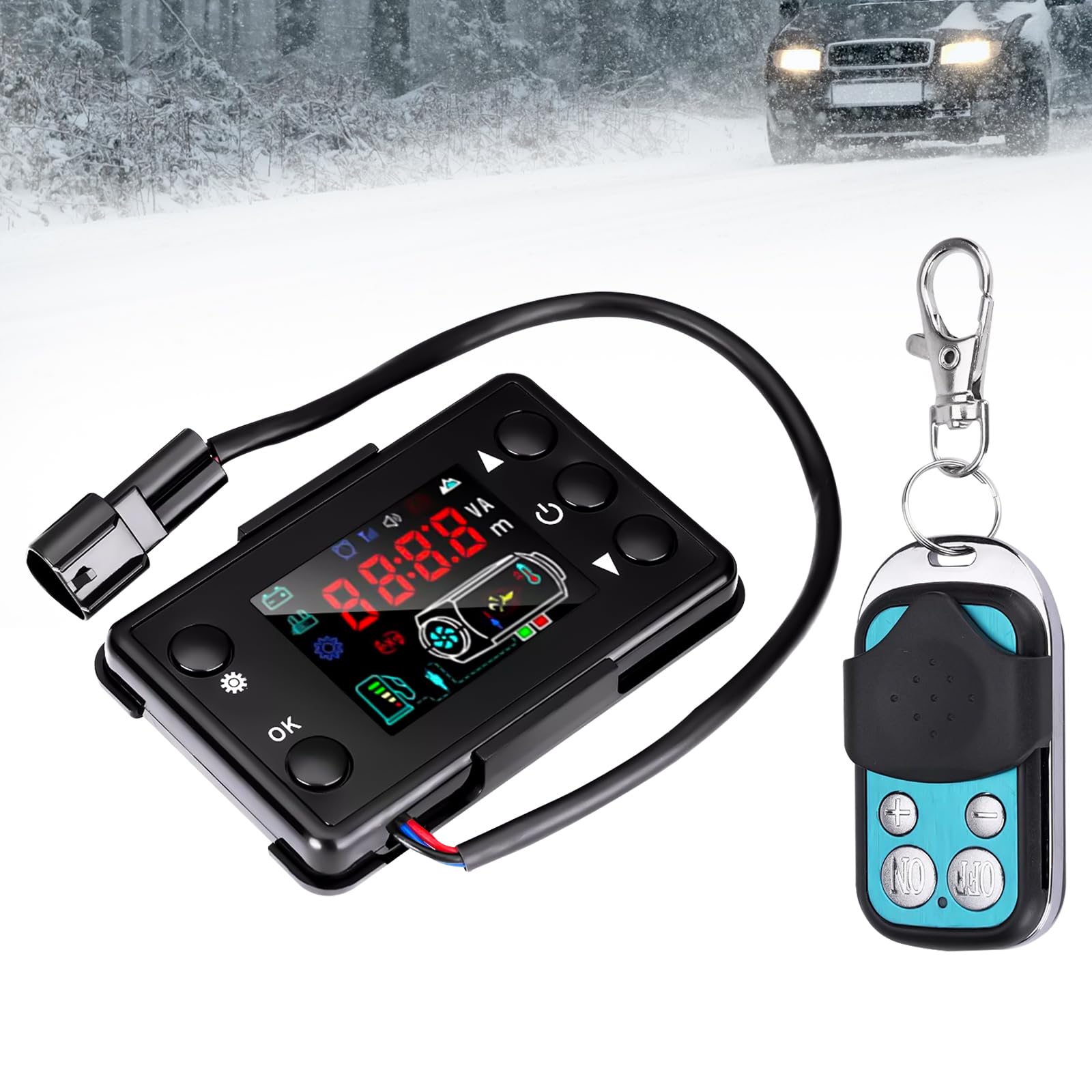
Universal 12V/24V Diesel Air Heater Controller with LCD Display and Remote Control (Without Battery), Fits for 2kw/5kw/8kw Diesel Parking Heater
Time Left
-
CURRENT PRICE
$1
How max bids work
Enter the most you'd pay. We bid for you, just enough to keep you in the lead, up to your max.
Item Details
Seller

Legacy Bids
Pickup Location
3591 John Peter Lee St
North Las Vegas, NV, 89032
Quality
New
Functional
No Damage
No Assembly Needed
In Package
No Missing Parts
Auction closes
-Estimated Retail Price
$18.82
Buyers Premium
15%
Inventory Number
1094322456
Found in
Additional Details from the Manufacturer
This item information is coming from the manufacturer. Some of the details may vary from the Nellis Auction listing. Please check the Quality Rating and Notes for information specific to this listing
brand
Cautyfkydimensions
Package: 0.24 lbMore features
- 【Universal Compatibility】This thermostat display switch is generally suitable for most 12V/24V diesel air heaters, such as 2KW, 5KW, 8KW 12v/24V diesel parking heaters.
- 【Clear LCD Monitoring】LCD displays can provide clear and accurate real-time information for diesel heaters. The LCD screen displays basic data such as temperature, voltage, and current to ensure precise control and monitoring.
- 【Function】This diesel heater control switch can switch between 12V/24V, temperature control mode, fan speed setting, pump oil volume setting, timed power on/off, manual fuel filling and other functions.
- 【Stable Performance】LCD displays are made of sturdy plastic and electronic components, ensuring stable performance and long-lasting use. Comes with a remote control, easy to install, and you can easily adjust the settings without having to approach the heater directly.
- 【Remote Control To Code Description】In the off setting state, press the up button first and press the confirmation button to maintain more than 3 seconds.To enter the remote control to the code interface, display HFA-, press the remote control to launch the remote control code, after the code exit the code interface, the machine enters the boot state, if the code failed will not enter the boot state.The timeout of the code will automatically exit the code state.
- 【Easy to Use】In the off setting state,press the up button first and press the confirmation button to maintain more than 3 seconds.To enter the remote control to the code interface,display HFA-,press the remote control to launch the remote control code,after the code exit the code interface,the machine enters the boot state,if the code failed will not enter the boot state.The timeout of the code will automatically exit the code state.


Getting Started
Learn more about bidding, winning, pickup, and more on our video tutorials page.
Visit Video Tutorials